
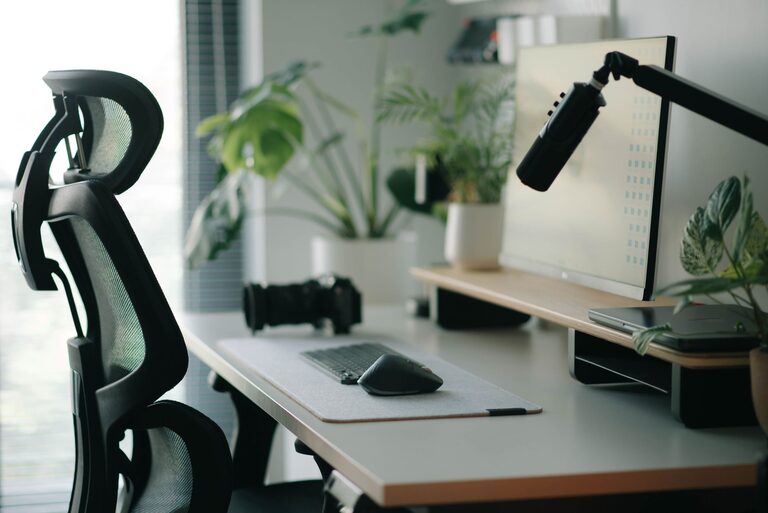
Desk Setup Tips for Focus and Comfort
Creating a workspace that balances comfort and focus is essential for productivity, whether you’re working from home, studying, or tackling creative projects. A thoughtfully arranged desk setup can reduce physical strain, minimize distractions, and help you stay engaged with your tasks throughout the day. Here are practical tips to optimize your desk setup for both comfort and focus.
Choose the Right Desk and Chair
Desk Size and Height
Start with a desk that suits the space available and your work needs. A desk that is too small limits your ability to organize essentials, while too large can overwhelm your space. Ideally, your desk should be at a height where your forearms are parallel to the floor when typing or writing—usually around 28-30 inches (71-76 cm).
Ergonomic Chair
Investing in an ergonomic chair supports your posture and reduces discomfort during long sessions. Look for adjustable height, lumbar support, and comfortable cushioning. Your feet should rest flat on the floor, and your knees should be roughly at a 90-degree angle. If needed, use a footrest to maintain proper leg alignment.
Position Your Monitor Correctly
Eye Level and Distance
Place your monitor so the top of the screen is at or slightly below eye level. This helps prevent neck strain from looking up or down for extended periods. Keep the monitor about an arm’s length away to reduce eye fatigue.
Multiple Screens
If you use dual monitors, align them side by side and at the same height. Position the primary monitor directly in front of you to avoid twisting your neck.
Optimize Lighting
Natural Light
Position your desk near a window to take advantage of natural light, which can improve mood and alertness. However, avoid glare on your screen by positioning your monitor perpendicular to the window.
Task Lighting
Add a desk lamp with adjustable brightness and direction to illuminate your workspace without causing shadows or harsh reflections.
Organize Your Desk Essentials
Keep Frequently Used Items Close
Arrange tools you use often—such as pens, notebooks, or headphones—within easy reach to minimize interruptions.
Declutter Regularly
Maintain a clean and tidy surface by removing unnecessary items. A clutter-free desk helps reduce distractions and stress.
Use Organizers
Use desk organizers, trays, or drawers to keep small items sorted and accessible. This keeps your workspace neat and improves efficiency.
Prioritize Comfort Accessories
Keyboard and Mouse
A keyboard and mouse positioned at elbow height help maintain neutral wrist positions. Consider ergonomic keyboards or mouse options if you experience strain.
Wrist Support
Use padded wrist rests to reduce pressure on wrists during typing and mouse use.
Desk Mat or Cushion
Adding a soft desk mat or cushioned chair pad can increase comfort during long sessions.
Minimize Distractions
Manage Cables
Tidy cables with clips, sleeves, or under-desk trays to prevent tangles and keep your area organized.
Noise Control
If noise interrupts your focus, use noise-cancelling headphones or a white noise machine to create a quieter environment.
Personalize Mindfully
Adding personal touches like photos or plants can make your space inviting, but avoid overdecorating to prevent distractions.
Incorporate Movement and Breaks
Standing Desk Options
Consider a sit-stand desk or adjustable desk converter to alternate between sitting and standing. Changing positions reduces fatigue and improves circulation.
Take Regular Breaks
Use a timer or app to remind yourself to stand, stretch, and rest your eyes every 30 to 60 minutes.
Keep Hydrated and Nourished
Water Bottle
Keep a water bottle at your desk to stay hydrated throughout the day.
Healthy Snacks
Having nutritious snacks handy can help maintain energy without unhealthy temptations or distractions from leaving your workspace.
—
By following these desk setup tips for focus and comfort, you’ll create an environment that supports productivity and well-being. Small adjustments can make a big difference in how you feel and perform, turning your desk into a space that inspires and energizes you every day.
